ArtCraft CADCraft: Features & Downloads.
ArtCraft CADCraft: Explore CAD drafting, dimensions, DXF exchange and DWG opening. Check format limitations, development status and downloads.
CADCraft is part of the ArtCraft team’s Crafting Apps family, separate from the AI image and video studio. Draft drawings with object snaps, layers, dimensions and open drawing formats.
Checked 2026-10-13
Based on official documentation. These guides do not claim independent installation, performance or compatibility testing.
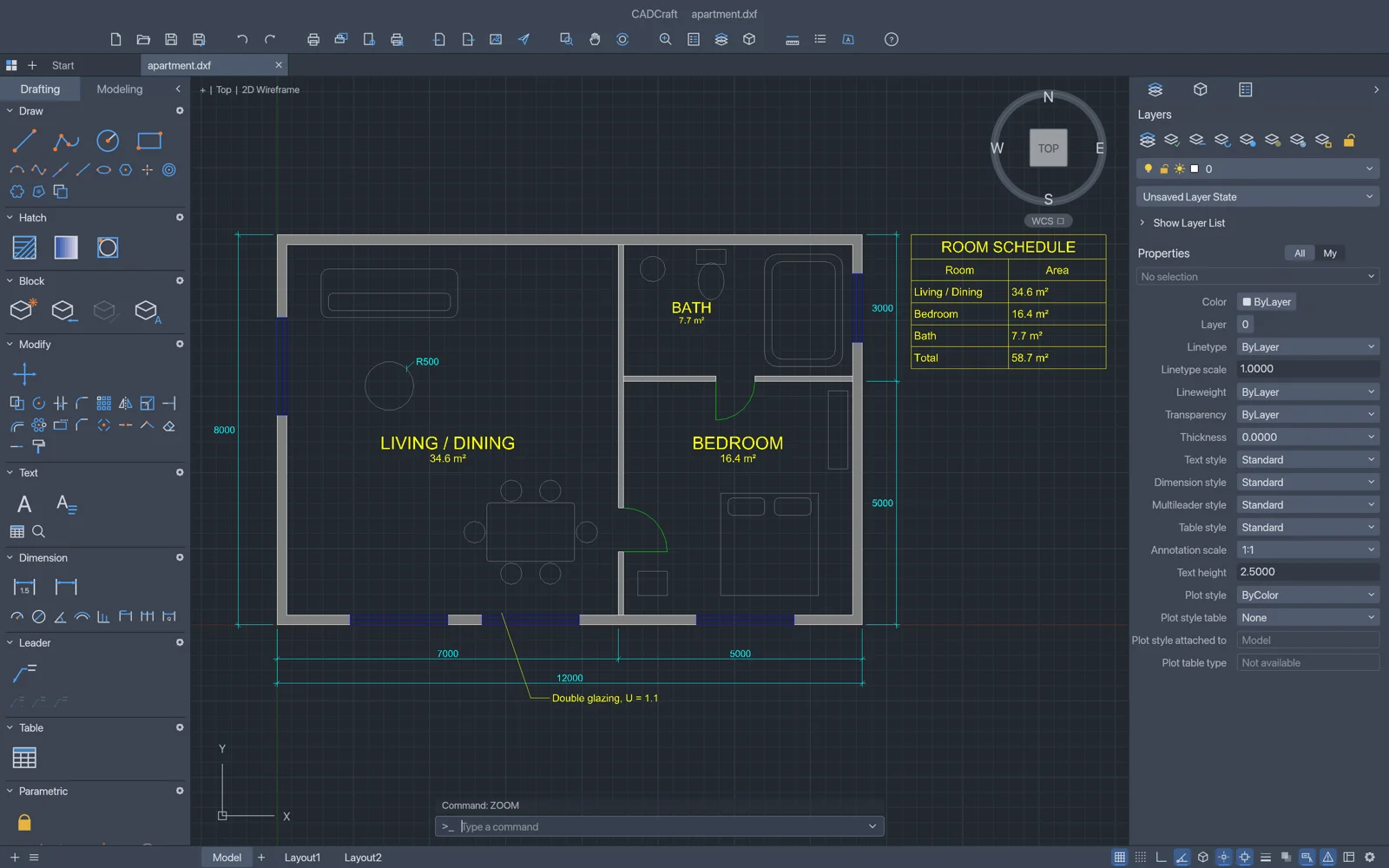
Drafting controls
Commands, object snaps, layers and grips support precise drawing edits.
Dimensions and layouts
Dimensions, hatches, blocks and paper-space viewports organize technical drawings.
Drawing formats
The official page distinguishes DXF reading and writing from DWG opening, and describes PDF, SVG and PNG export.
When to explore CADCraft
- Draft a floor plan with dimensions.
- Prepare a technical drawing for review.
These are suggested uses based on official descriptions, not independently tested workflows.
CADCraft is in development. DWG opening is not a claim of DWG saving or complete AutoCAD compatibility. Check drawing versions, units, dimensions and plotting.
Repository license information (opens in a new tab / 新窗口打开)How to download and install CADCraft
Use the ArtCraft Launcher for centralized installs and updates, or choose a standalone installer on this app’s official page. Our download guide explains both entry points.
- Open the official CADCraft page using the standalone installer link below, or follow our download guide to the ArtCraft Launcher release.
- Choose the build for your operating system and follow its installation instructions. Check the platform and format limitations on this page before starting.
- Start with a small project using copies of your files. For CADCraft, a suggested first task is: Draft a floor plan with dimensions.
Web support refers to the WebAssembly build, currently offered for self-hosting on the official product page. It is not a verified hosted editor link.
Last checked:2026-10-13 · Official information may change.