ArtCraft DeckCraft: Features & Downloads
ArtCraft DeckCraft: Create presentations with slide masters, themes and presenter tools. Read about PPTX file support, current development status and downloads.
DeckCraft is part of the Crafting Apps family developed by the ArtCraft team. Build slide presentations with themes, shapes, animation and presenter tools.
Information as of 2026-11-10
Based on ArtCraft documentation, not hands-on testing.
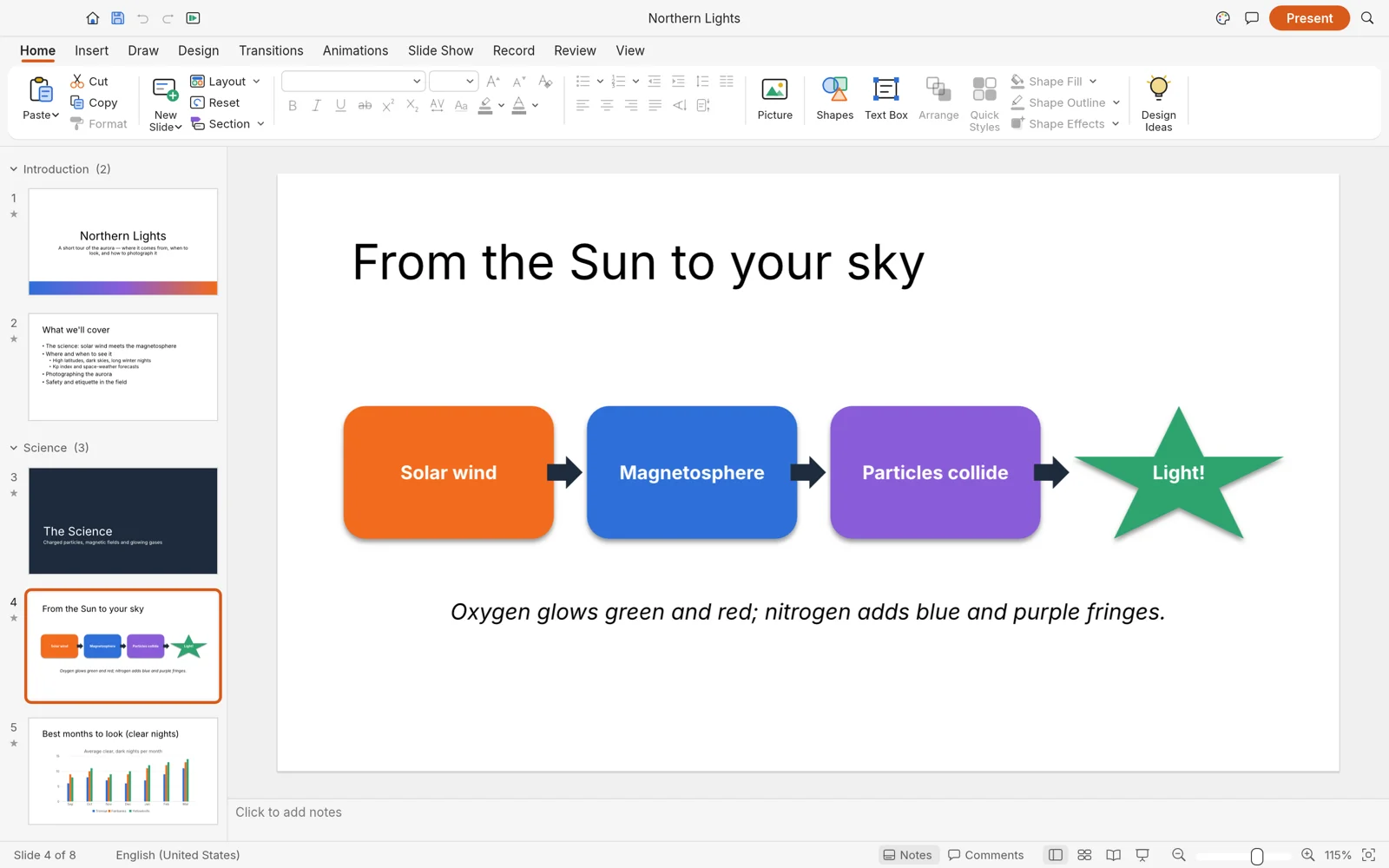
Masters and themes
Keep slides consistent with masters, layouts and themes, then add speaker notes. In DeckCraft, plan what belongs on each slide and what belongs in speaker notes. Use diagrams for relationships, and prepare a PDF handout when the audience needs a copy to read.
Drawing and animation
Build diagrams with vector shapes and connectors, and use transitions and animation to explain ideas.
Present and share
Open and save PPTX files, present with presenter view, and export PDFs or images.
Motion and rehearsal
Use Morph transitions, motion-path animation and paragraph-by-paragraph builds. Presenter tools include rehearsal timings; the official page also describes over 200 commands exposed through CLI, JSON and MCP.
What changed in 0.17.0
Selected changes from the official release notes, checked on November 10, 2026. These are documentation summaries, not Wiki application tests.
- The Web build exposes the shared page command API. PPTX handling preserves 3D scene and extrusion XML on text bodies and groups.
- Improves paragraph alignment, ribbon accessibility and speaker-note pasting; the updater reports installation stages.
November 2 snapshot: 0.14.1
- Animation commands accept points for custom motion paths; MCP chart insertion accepts explicit position and size.
- Adds read-only slide-action inspection and fixes PPTX preservation of bullet, line and gradient settings.
Earlier additions: 0.11.1
- The Browsed by an individual slide-show setting keeps the show in a window.
- Format Background → Apply to All also updates slide masters, and rapid mouse-wheel slide navigation no longer loses steps.
A closer look at the tools
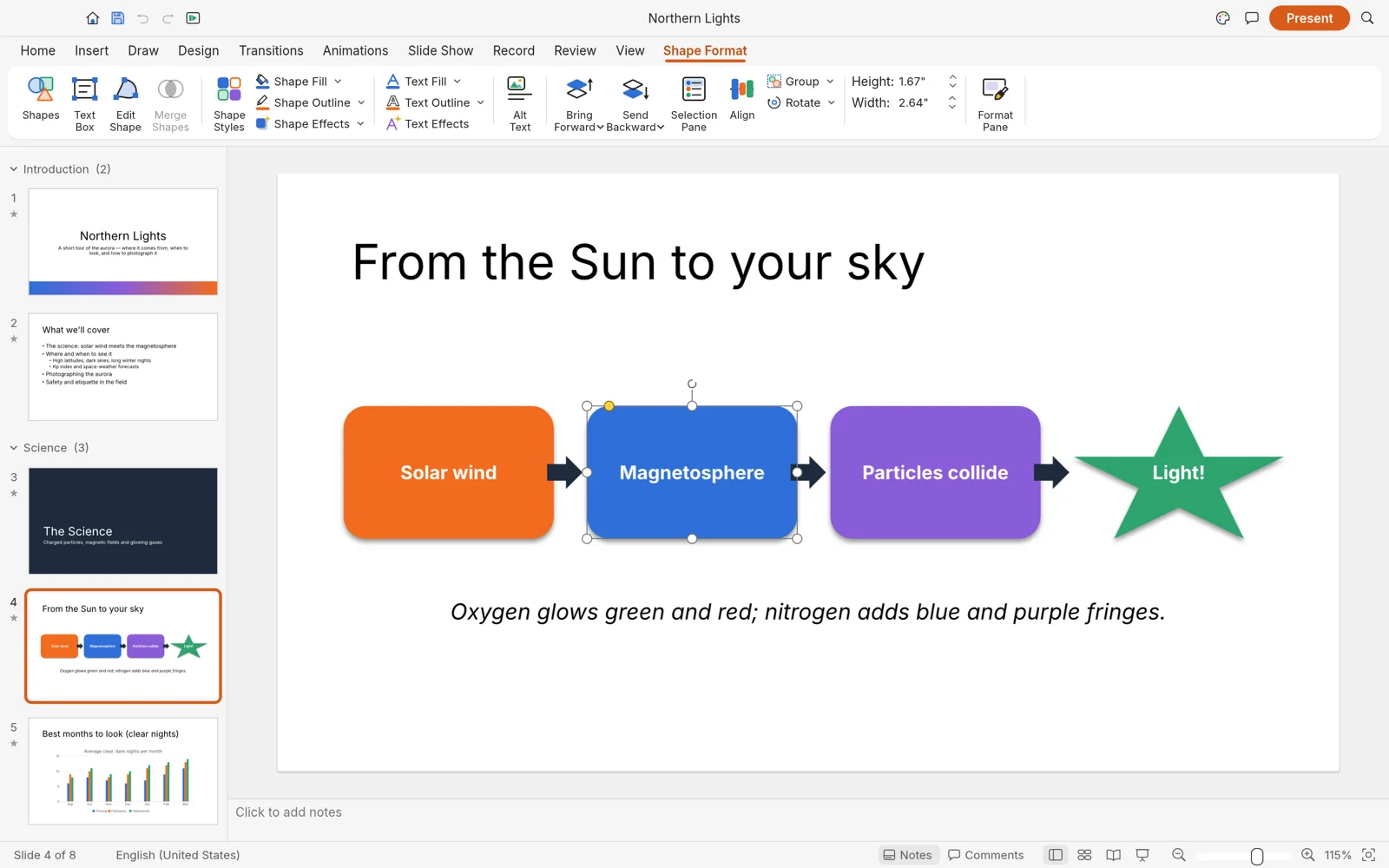
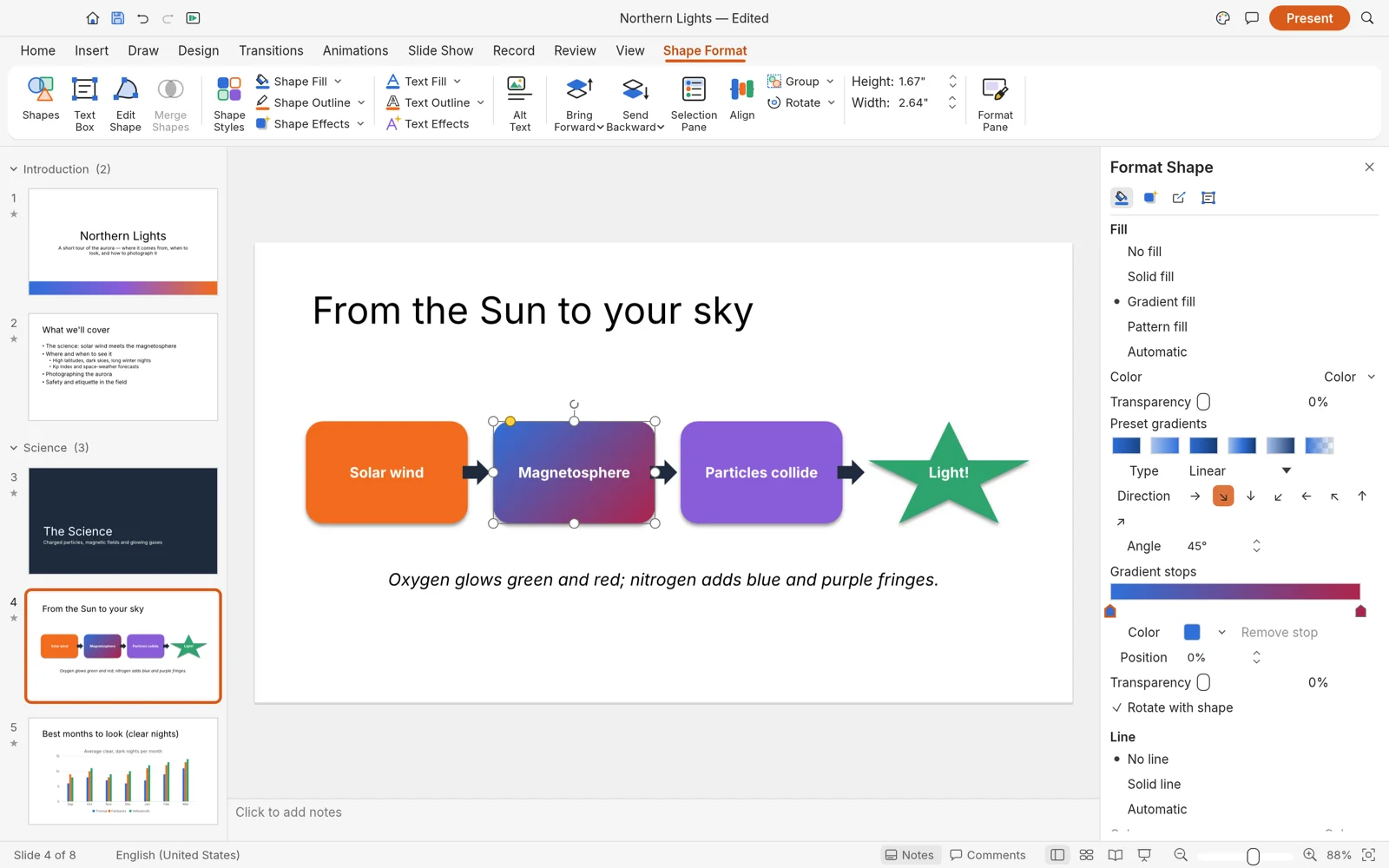
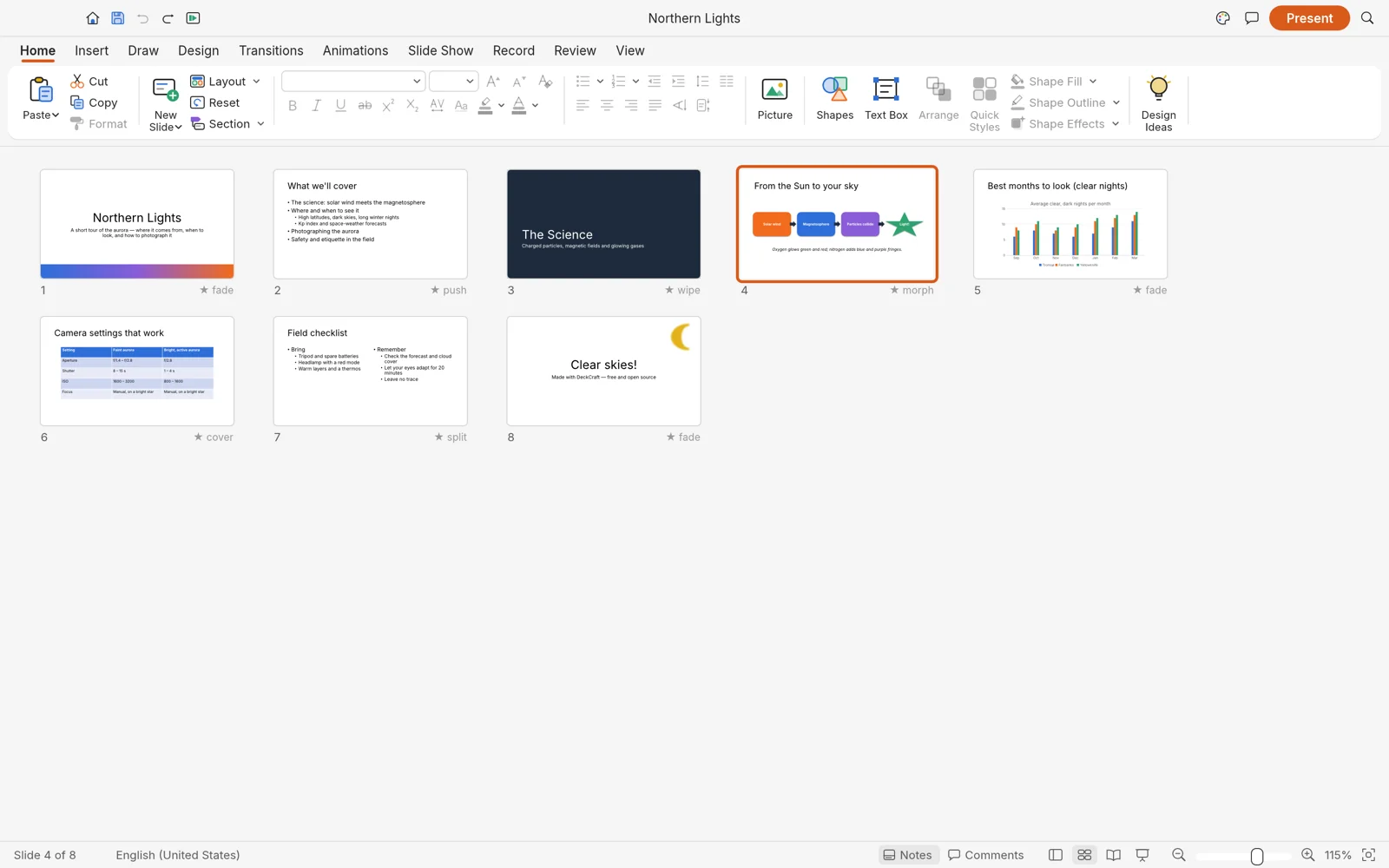
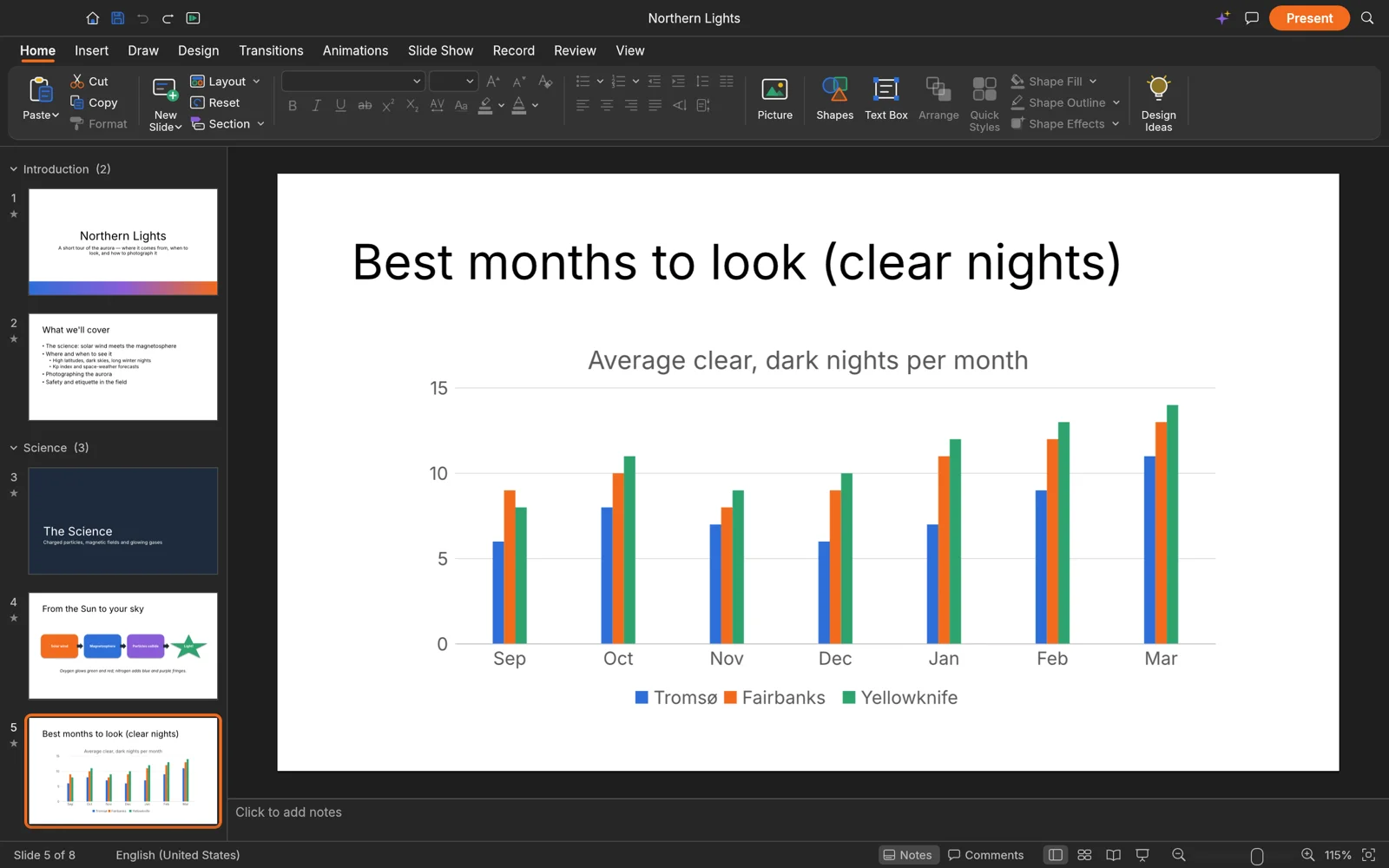
What can you use DeckCraft for?
- Build a presentation with diagrams and notes.
- Prepare slides and PDF handouts for a talk.
DeckCraft is still in development. Before presenting, open your PPTX on the equipment you plan to use and check layouts, fonts, media and animations.
Read the license (opens in a new tab / 新窗口打开)Download and install DeckCraft
Install and update with ArtCraft Launcher, or open the official product page and find “Option 2 · Standalone” in the download section for standalone installers.
- Follow the link below to the official DeckCraft download page. To manage several apps in one place, install Launcher first.
- Choose the installer for your operating system and follow the instructions on the page. Check the system requirements on the official page and the file format limitations here before downloading.
- Make a copy of your files and try a small project. You could start with this: Build a presentation with diagrams and notes.
The Web version here is a WebAssembly build that you need to host yourself. The official product page provides the download package.
Information as of: 2026-11-10
- getartcraft.com/apps/deckcraft (opens in a new tab / 新窗口打开)
- getartcraft.com/apps (opens in a new tab / 新窗口打开)
- craft.wiki/apps/deckcraft/overview/ (opens in a new tab / 新窗口打开)
- github.com/storytold/deckcraft/releases/tag/v0.17.0 (opens in a new tab / 新窗口打开)
- github.com/storytold/deckcraft (opens in a new tab / 新窗口打开)
- github.com/storytold/deckcraft/blob/main/LICENSE-MIT (opens in a new tab / 新窗口打开)