ArtCraft SoundCraft: Features & Downloads.
ArtCraft SoundCraft: Explore multitrack audio, MIDI, mixing and CLAP plugins. Check development status, platform support and official downloads.
SoundCraft is part of the ArtCraft team’s Crafting Apps family, separate from the AI image and video studio. Record and arrange multitrack audio and MIDI, then mix with routing and automation.
Checked 2026-10-13
Based on official documentation. These guides do not claim independent installation, performance or compatibility testing.
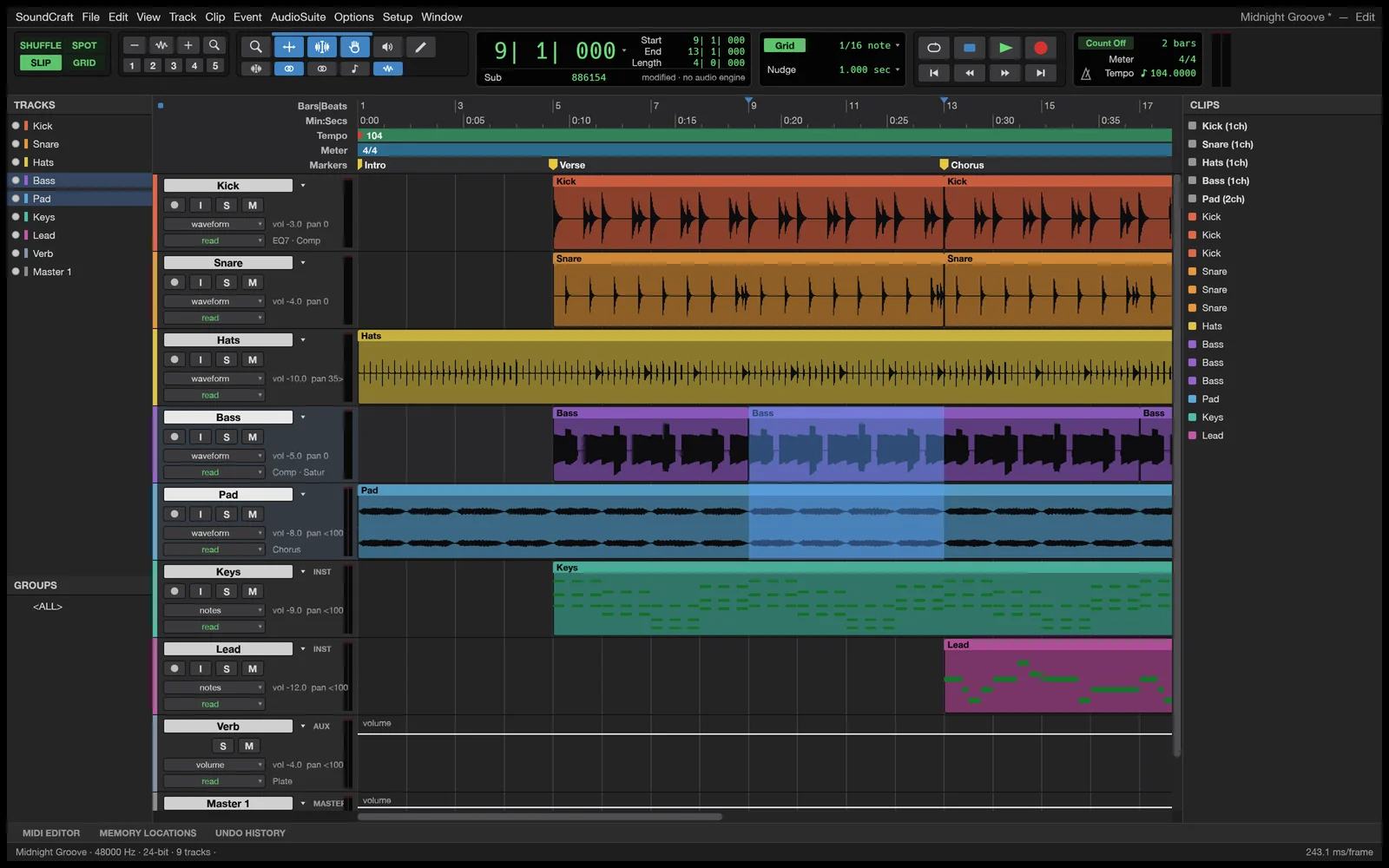
Multitrack sessions
Arrange audio and MIDI with dedicated editing and mixing views.
Routing and automation
A mixing console with inserts, sends, buses and automation is described for session control.
Plugins and MIDI
Built-in processors, external CLAP plugin support and MIDI editing expand sound work.
When to explore SoundCraft
- Edit a podcast or recorded interview.
- Arrange music and explore multitrack mixing.
These are suggested uses based on official descriptions, not independently tested workflows.
SoundCraft is in development. Check your audio interface, plugin formats, latency and session export; CLAP support does not imply support for every plugin format.
Repository license information (opens in a new tab / 新窗口打开)How to download and install SoundCraft
Use the ArtCraft Launcher for centralized installs and updates, or choose a standalone installer on this app’s official page. Our download guide explains both entry points.
- Open the official SoundCraft page using the standalone installer link below, or follow our download guide to the ArtCraft Launcher release.
- Choose the build for your operating system and follow its installation instructions. Check the platform and format limitations on this page before starting.
- Start with a small project using copies of your files. For SoundCraft, a suggested first task is: Edit a podcast or recorded interview.
Web support refers to the WebAssembly build, currently offered for self-hosting on the official product page. It is not a verified hosted editor link.
Last checked:2026-10-13 · Official information may change.